
Member app
A quick tour of our app!
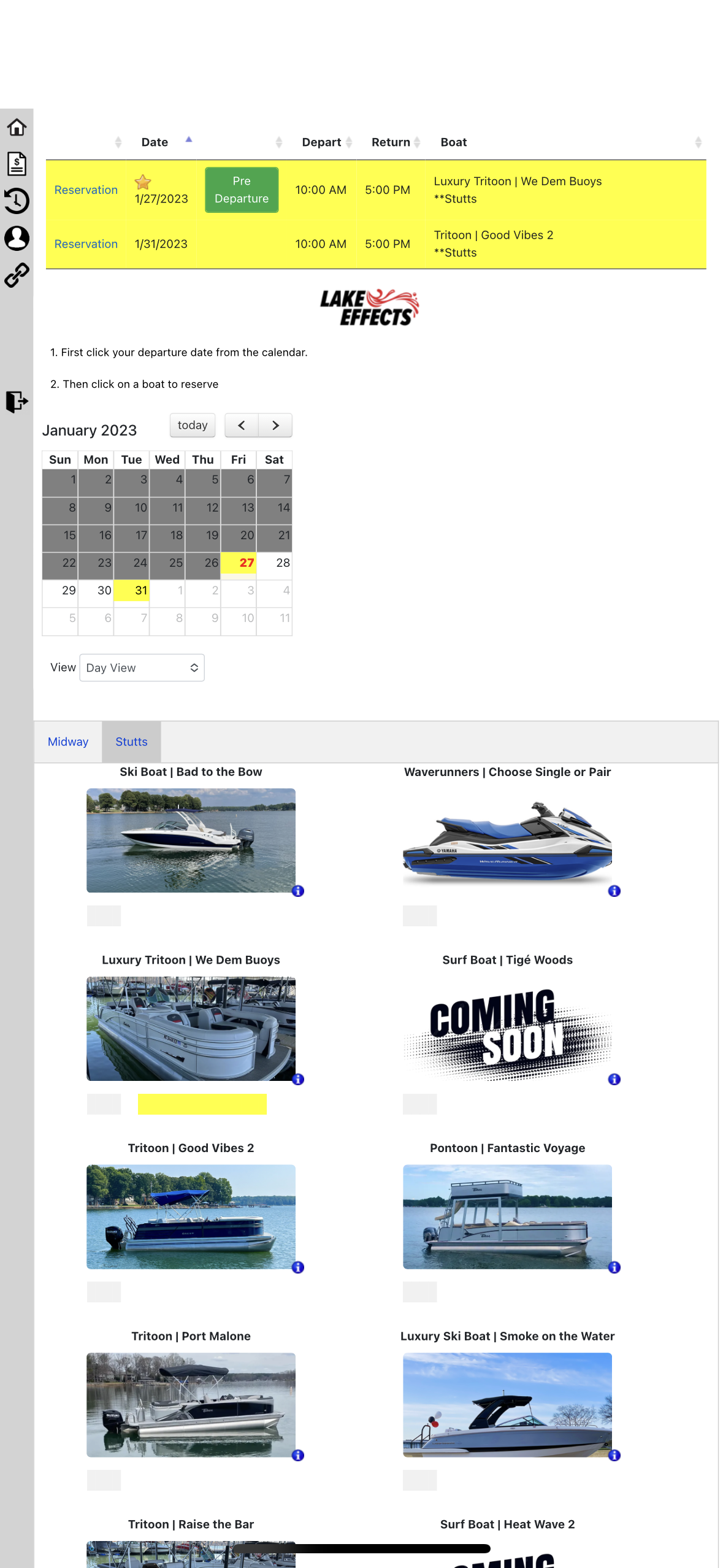
Your upcoming reservations will be listed here in yellow. On the day of your reservation, the pre-departure button will appear so you can sign and report any existing damage.
1. Click on your date
2. Click on your location
3. Choose your boat!
It's easy to swap between locations and choose your boat. There are pictures of each boat along with its features.
Our team wants your booking experience to be as seamless as possible. From the beginning to the end, we want you to have a flawless experience.
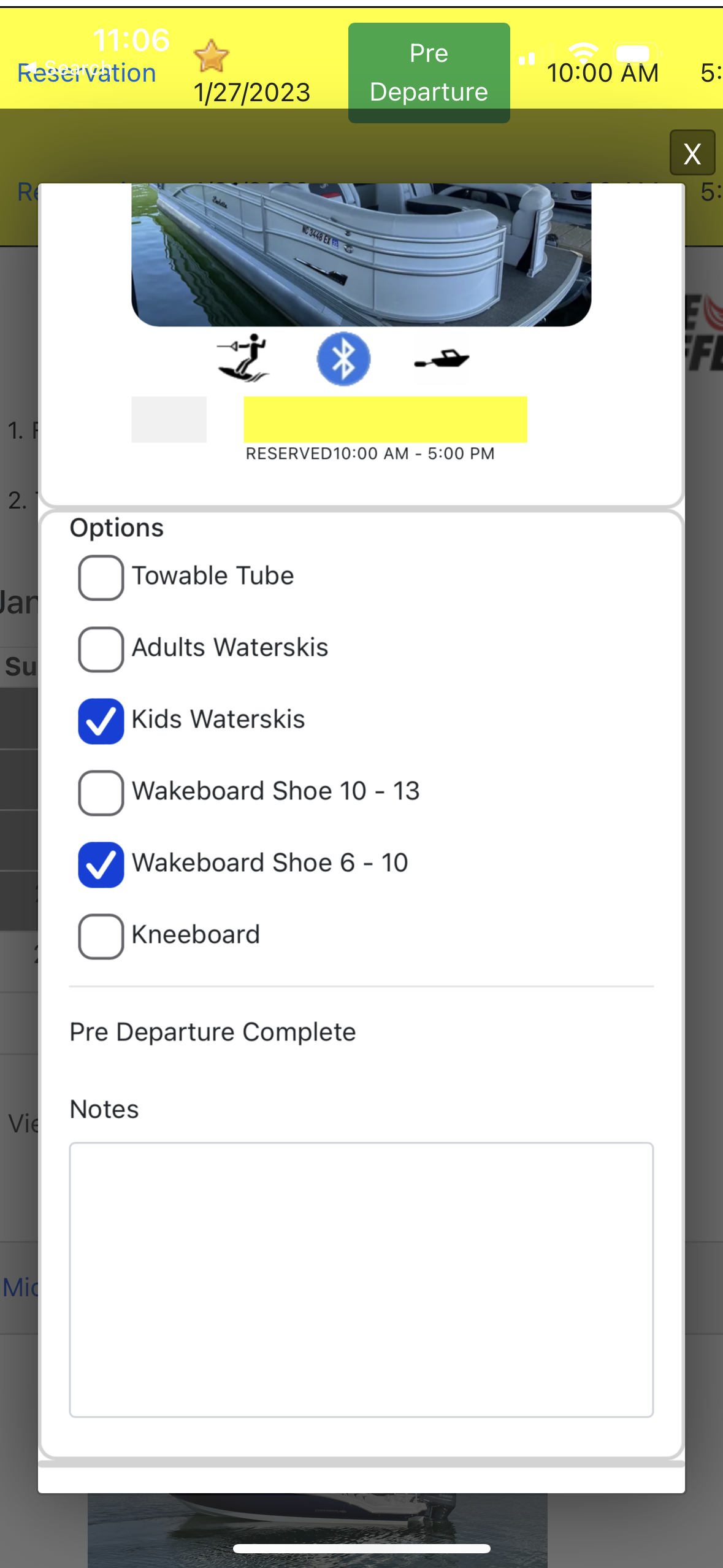
You can add watersports equipment before you arrive, including specific wakeboard boot sizes. You can even add a bag of ice!
Add notes easily for our team to help make your departure easier.
After checking in with our front counter team, inspect the boat for existing damage before you depart. Note any damage or concerns, and upload photos from your phone under Images. Then sign and select Save.
Navigating is easy
Updating your credit card and managing your account is easy
Find your reservation history
You will find useful links such as event dates and more
A history of your invoices is available.
Need more help? Send us a text at 704.360.5177

Keep exploring
MORE ABOUT BOATING ON LAKE NORMAN
- New member welcome
Everything you need for your first season with the club.
- The membership handbook
Reservations, check-in, boating rules, and club policies.
- Lake Norman boat club membership
What membership includes and how the plans compare.